This page is different from the others in our comparison series: the incumbent here isn't a software vendor, it's the workbook your QS already maintains. That deserves to be taken seriously, because the spreadsheet earned its position honestly.
A well-built labour workbook is genuinely capable. Excel is universal, flexible to any WBS convention you invent, free at the margin, and transparent — every formula is inspectable, every number traceable to a cell. Plenty of contractors run respectable earned-value analysis in Excel, and Microsoft's product has only got more capable with co-authoring in Microsoft 365. If your operation is a single crew and a patient QS, a disciplined workbook may honestly be enough — we say so plainly in the verdict below.
The problems arrive with scale and speed, and they are structural rather than fixable-by-being-more-careful. First, re-keying: hours captured on paper, in a clock app, or by text message get typed into the workbook by hand, usually days after the work happened, so the earned-value position is always describing last week. Second, fragility: spreadsheet research is unambiguous here — field audits reviewed by Panko found errors in at least 86% of the spreadsheets audited in the most rigorous studies, with 1997 audits by Coopers & Lybrand and KPMG each finding errors in 91% of the spreadsheets they examined. Cell error rates in controlled development experiments run 1–5%, which compounds quickly across a 4-level WBS with weekly updates. Third, versioning: the workbook emailed to the PM, the commercial manager and the site office is now three workbooks, and reconciling them becomes its own job. The FMI/PlanGrid 'Construction Disconnected' survey (2018) put numbers on the wider cost: construction professionals reported 5.5 hours per week looking for project data, part of roughly 35% of working hours spent on non-optimal activities.
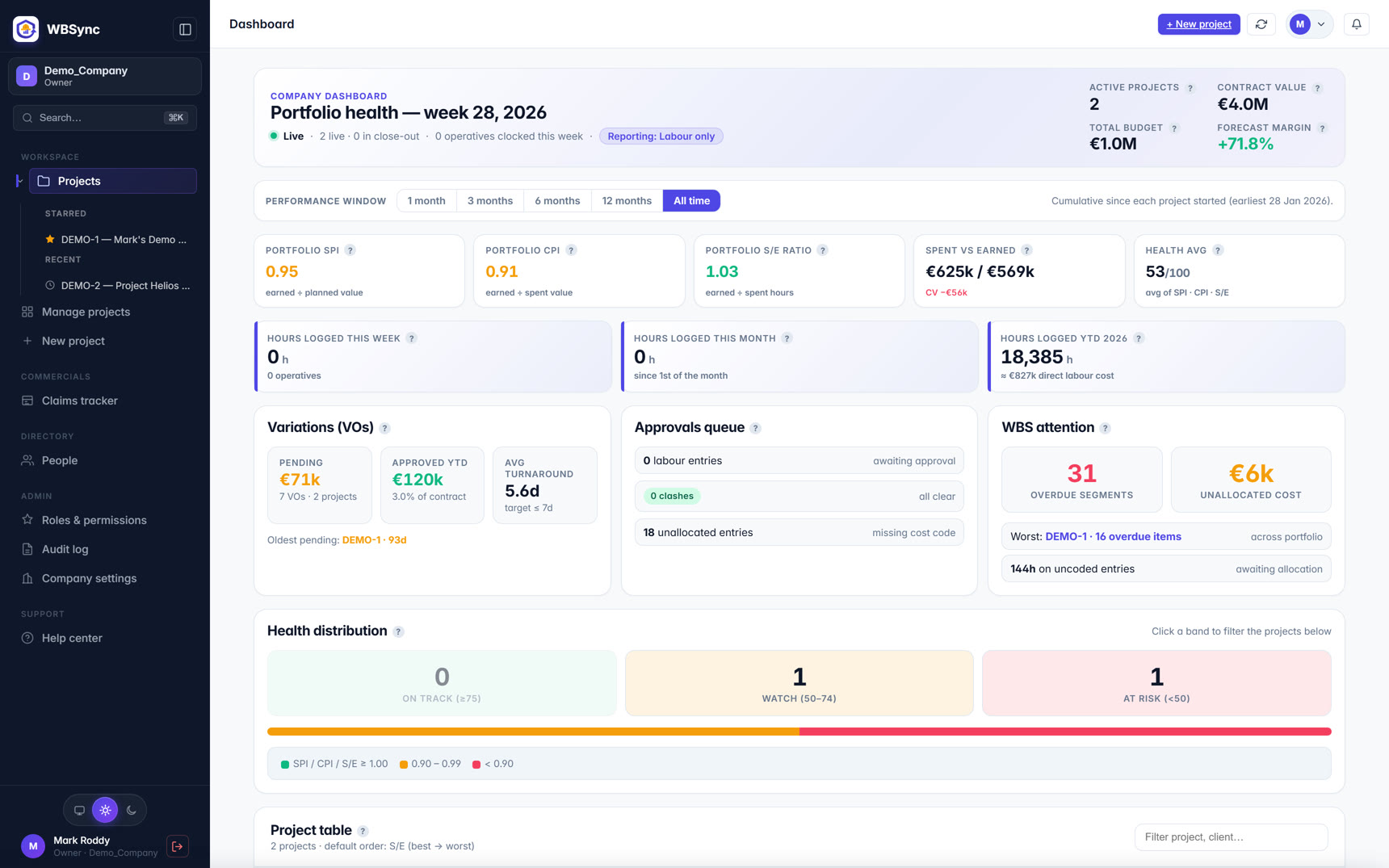
WBSync is built as the escape path that doesn't ask you to abandon what works. Your WBS and BOQ import directly from the xlsx you already maintain — the workbook's structure survives. Hours stop being re-keyed: they arrive from a foreman's offline-capable crew log or automatically from your existing clock-in system through an open inbound API. An approval gate with duplicate and over-cap clash checks stands between every punch and the KPIs, an audit log records every change, and SPI, CPI, EAC and TCPI compute live to PMI / ISO 21508 conventions with S-curves at every level. And when you need a spreadsheet — for a claim, a board pack, a lender — everything exports back to xlsx and PDF. The sections below compare the workbook and the system honestly, including where the workbook still wins.
Where the typical setup breaks
Every construction labour workbook follows the same lifecycle. Version one is clean: one sheet per project, hours against cost codes, a tidy S-curve. Then the job grows. Someone inserts a row and a SUMIF range doesn't stretch; a foreman's Friday text arrives after the week closed; the file gets emailed and now the site copy and the office copy disagree; the one person who understands the macros goes on leave in August. None of these are user failures — they are what the research predicts. Panko's review of field audits found errors in at least 86% of spreadsheets audited, and human cell-level error rates of 1–5% are simply what people do in complex cognitive tasks. A workbook that prices a seven-figure labour budget is a large spreadsheet maintained weekly under deadline — exactly the profile the audits describe.
The deeper cost isn't the errors; it's the latency. Because hours are re-keyed, the earned-value position is computed after the fact — so SPI and CPI arrive as archaeology, not as steering. The point of moving off the workbook is not prettier charts; it is moving the measurement from Friday-after-the-fact to live.
Feature comparison
| Feature | WBSync | Excel | WBSync + Excel together |
|---|---|---|---|
| Cost to start | From €249/mo (published tiers by active operatives); 30-day free trial | Effectively free on Microsoft 365 licences you already own [source] | Excel stays free as the import/export format either way |
| How hours get in | Foreman crew-log PWA (offline) or automatic ingest from your clock system via open API | Manual re-keying from paper, clock exports or messages — typically days after the work [source] | The workbook can consume WBSync's xlsx export instead of raw timesheets |
| Error profile | Computed KPIs — no user-maintained formulas; clash checks block duplicates and over-cap days | Field audits reviewed by Panko found errors in ≥86% of spreadsheets audited; 1997 Coopers & Lybrand and KPMG audits each found errors in 91% [source] | Keep Excel for presentation, not for computation |
| Earned value (SPI / CPI / EAC / TCPI) | Native, to PMI / ISO 21508 conventions, recomputed live as hours are approved | Possible with disciplined formulas; recomputed only when someone updates the file [source] | WBSync computes; Excel formats the claim pack |
| Version control | One live system; everyone reads the same dashboards | Emailed copies fork; Microsoft 365 co-authoring helps within one file but not across exports [source] | Exports are stamped snapshots, not competing truths |
| Approval discipline | Hard gate: foreman/PM approval + clash resolution before hours touch any KPI; full audit log | Whatever convention the workbook owner enforces; no structural gate [source] | Approved data in, formatted reports out |
| Time cost of upkeep | Setup in days (xlsx import); no weekly re-keying | Industry survey: 5.5 h/person/week looking for project data; ~35% of hours on non-optimal activities (2018, US) [source] | Redirect the re-keying hours into analysis |
| Flexibility / custom analysis | Report studio + XLSX export for anything bespoke | Unlimited — any format, any formula, any convention [source] | Excel leads this row; feed it clean exported data |
| Who can read it | Role-based access; per-user locale; operatives never need logins | Anyone with the file — which is the strength and the leak [source] | Share exports, not the database |
Each Excel claim above links to a public source on their website. Spot a stale claim? Email hello@wb-sync.com and we'll correct it within 5 business days.
What the workbook does well — seriously
Any honest alternatives-to-Excel page has to start here. Excel is universal: every QS, PM and accountant can open, audit and extend it without training. It is flexible: your WBS numbering, your rate build-ups, your claim formats, encoded exactly as your business thinks about them. It is transparent: no vendor black box — every figure traces to a cell you can inspect. And it is effectively free on licences you already own. These are real advantages, and a purpose-built system has to beat them on outcomes, not on sneering.
Where the workbook structurally fails
Three failure modes recur, and none of them is fixed by being more careful.
Re-keyed data is stale data. Hours are captured somewhere else — paper, a clock app, texts — and typed into the workbook later. The delay is the point: by the time SPI and CPI are computed, the week they describe is over. Decisions about crew size and sequencing get made on gut feel in the gap.
Spreadsheets err at scale. The research record is one-sided. Panko's review of spreadsheet field audits found errors in at least 86% of spreadsheets audited in the most rigorous recent studies — with the 1997 Coopers & Lybrand and KPMG audits each finding errors in 91% of the spreadsheets examined — and controlled experiments put human cell error rates at roughly 1–5%. A labour workbook updated weekly across a four-level WBS is precisely the "large, long-lived, multi-author spreadsheet" those audits describe.
One file becomes many truths. The moment the workbook is emailed, versions fork. Reconciling the site copy against the office copy is unpaid work that produces no value — it just restores the single truth the file format gave away. The FMI/PlanGrid survey measured the broader pattern: 5.5 hours per person per week spent looking for project data, within roughly 35% of working hours on non-optimal activities — figures the report costed at $177.5 billion for the US industry in 2018.
What changes with a system of record
WBSync replaces the fragile parts and keeps the familiar ones.
Capture replaces re-keying. A foreman logs a whole crew against cost codes in minutes on an offline-capable PWA — operatives never need accounts — or hours arrive with no field action at all, from your existing clock-in system through an open inbound API with prebuilt adapters for Deputy, ClockShark, QBTime, Connecteam, Hubstaff and Workflow Infinity. The re-keying step, and its latency, simply disappears.
Structure replaces formulas. The WBS and BOQ import from your existing xlsx — budgeted hours and value ride in with the tree. SPI, CPI, EAC, ETC and TCPI are computed by the system, to PMI / ISO 21508 conventions, identically every week; there is no formula to stretch, no range to break, no macro author on leave.
A gate replaces hope. Nothing reaches a KPI until it passes duplicate and over-cap clash checks and a foreman/PM approval. Every state change is audit-logged; corrections carry a stamped reason. When the number goes into a progress claim, you can show where it came from.
One URL replaces the email chain. The PM, the QS and the site office read the same live dashboards. Nobody reconciles versions, because there is only one.
What you keep
This matters enough to repeat: adopting WBSync does not mean abandoning Excel. The import path is xlsx in — your existing WBS and BOQ workbooks are the setup. The export path is xlsx and PDF out — claims, board packs and lender reports drop back into the spreadsheet world your stakeholders expect. Excel remains the interchange format; it just stops being the database, the calculator and the audit trail all at once.
Counting the real cost of "free"
The workbook's licence cost is zero; its operating cost is not. Price the hours honestly: a QS re-keying and reconciling for, say, four to six hours a week is €5,000–€10,000 a year of skilled time before any error costs — and the FMI/PlanGrid figures suggest field-data friction runs far higher across a team. WBSync's pricing is published: five flat tiers from €249 to €4,999+ per month by active operatives, unlimited PM/foreman/QS seats, with a 30-day free trial (up to 30 operatives, no credit card). Run the arithmetic for your own headcount — for many mid-market contractors the crossover is a single project.
The honest case for staying in Excel
If you run fewer than about ten operatives, one project at a time, with a QS who owns the workbook and a stable weekly rhythm, the structural failures above may simply not bite hard enough to justify any subscription. Software is not virtue; it is a trade of money for latency and reliability. Make the trade when the latency starts costing decisions — the symptom is SPI arriving too late to change anything — and not before.
Implementation timeline
| System | Typical setup | What's involved |
|---|---|---|
| WBSync | Days | Import the WBS/BOQ workbook you already maintain, invite foremen, connect the clock feed. The first S-curve renders as soon as approved hours exist. |
| Excel workbook | Already deployed | Zero setup — the incumbent's great advantage. The cost is recurring instead: re-keying, reconciliation and formula maintenance every single week. |
| WBSync + Excel together | Days | WBSync becomes the system of record; Excel stays as the presentation and interchange layer, fed by stamped xlsx exports. |
Who should choose what
| Choose | When |
|---|---|
| Excel | Fewer than ~10 operatives, one project at a time, a QS who owns the workbook, and a weekly rhythm that holds. At that scale the workbook's latency rarely costs decisions. |
| WBSync | Multiple crews or projects, earned value quoted in progress meetings and claims, hours arriving from a clock system — and you're tired of Friday archaeology. |
| Both together | Nearly everyone, in practice: WBSync as the live system of record, Excel as the presentation layer fed by exports. Your WBS imports from xlsx and everything exports back. |
Pricing
WBSync publishes its full price list: five flat-rate tiers, each with unlimited back-office users, priced by active operatives rather than per seat — see the pricing page for current figures and what each tier includes. Every plan starts with a free 30-day trial (up to 30 operatives, no credit card). Excel's pricing model is covered in the comparison table above — where a vendor quotes custom pricing, budget for a sales process before you see a number.
Verdict — when to choose WBSync
Stay in Excel when the operation is small enough that the workbook's latency doesn't cost decisions: one project, one owner, fewer than about ten operatives, and a weekly rhythm that holds. The advantages of the workbook — universality, flexibility, transparency, zero marginal cost — are real.
Move to WBSync when the labour numbers start steering money: multiple crews or projects, earned value quoted in progress meetings and claims, hours arriving from a clock system that deserves better than re-keying. You keep your WBS (it imports from xlsx), you keep Excel as the interchange format (everything exports back), and you trade the re-keying, the formula risk and the version forks for a live, approval-gated SPI/CPI.
The test costs nothing: the 30-day trial takes your real workbook as its starting point. Import it, let one project's hours flow for two weeks, and compare the live position against the Friday spreadsheet. If the workbook keeps up, keep the workbook.
FAQ
Do I have to rebuild my WBS in WBSync?
No — the WBS and BOQ import directly from the xlsx workbook you already maintain, including budgeted hours and value. The workbook's structure is the setup, not a casualty.
Can I still get everything out to Excel?
Yes. Every report, the WBS, hours and claim data export to xlsx (and PDF). Excel remains the interchange and presentation format; it just stops being the database and the calculator.
Are spreadsheets really that error-prone?
The research is consistent. Panko's review of field audits found errors in at least 86% of spreadsheets audited in the most rigorous studies — the 1997 Coopers & Lybrand and KPMG audits each found errors in 91% — and controlled experiments put human cell error rates around 1–5%. Large, weekly-updated workbooks are exactly the profile audited.
We already have a clock-in app. Does that change anything?
It strengthens the case: your hours are already digital, and re-keying them into a workbook throws that away. WBSync's inbound clock API has prebuilt adapters for Deputy, ClockShark, QBTime, Connecteam, Hubstaff and Workflow Infinity, plus a generic webhook — punches flow straight to cost codes.
What does WBSync cost compared to 'free'?
Five published flat tiers from €249 to €4,999+ per month by active operatives, unlimited PM/foreman/QS seats. Price it against the hours your team spends re-keying and reconciling — the FMI/PlanGrid survey measured 5.5 hours per person per week lost to hunting project data across the industry.
Is WBSync's earned value PMI-compliant?
Yes. SPI, CPI, EAC, ETC and TCPI follow PMI / ISO 21508 conventions, computed on approved hours only, with S-curves at every level of a four-level WBS.
Sources
Every factual claim about Excel on this page is drawn from publicly available information on their own website, documentation, or pricing pages, captured on 7 Jul 2026.
- Panko, "Spreadsheet Errors: What We Know. What We Think We Can Do." (EuSpRIG 2000; arXiv PDF)
- Panko paper — arXiv abstract page
- Panko, spreadsheet development error experiments (cell error rates)
- FMI / PlanGrid, "Construction Disconnected" (2018) — full report PDF
- Construction Dive coverage of the FMI/PlanGrid study
- Microsoft Excel — official product page