Raken and WBSync both put a time-capture app in a foreman's hand, and that is roughly where the similarity ends — they exist to answer different questions.
Raken's centre of gravity is the daily report. Work logs record who was on site and what got done; weather is captured automatically; photos and videos are timestamped; the output is a branded PDF with your logo that distributes itself by email, with AI-generated summaries on top. Around that core sit safety tools (a library of 100+ toolbox talks in English and Spanish, with digital signature collection), observations and incidents, RFIs and forms, and time cards with three entry modes — an individual time clock with geofencing, a kiosk mode for a shared tablet, and supervisor-entered crew time cards — categorised against unlimited custom cost codes. Production tracking compares time, material and budget data in a dashboard. Its integrations page lists accounting and payroll systems (Sage, QuickBooks, Viewpoint, Foundation, Deltek ComputerEase, CMiC, Paychex), project platforms (Procore, Autodesk, Bluebeam) and cloud storage.
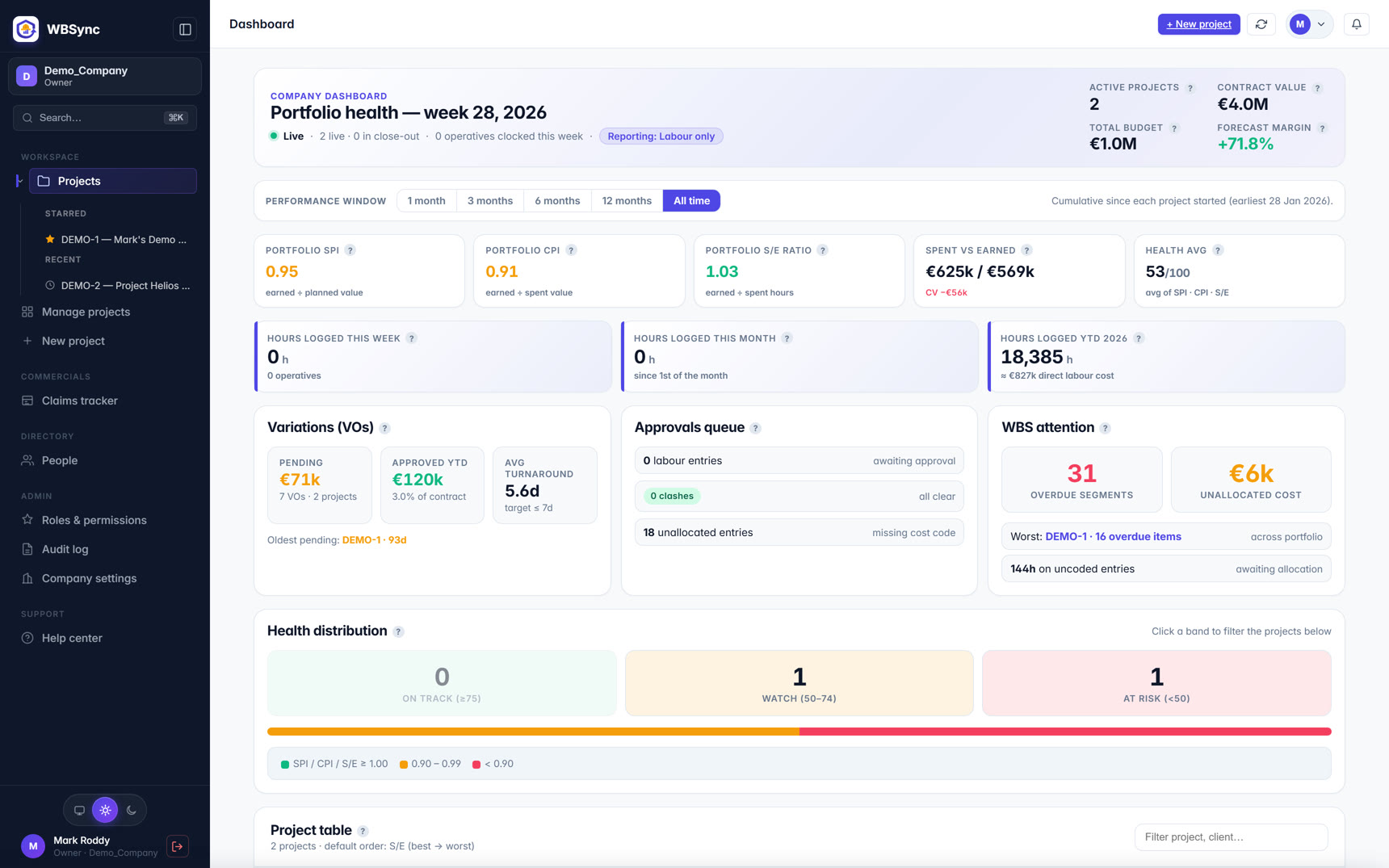
WBSync starts from the other end: the numbers. You import a four-level work-breakdown structure and BOQ from your existing spreadsheets, hours arrive from a foreman's offline-capable crew-log PWA or automatically from your existing clock-in system through an open inbound API, and every hour passes an approval gate — with duplicate and over-cap clash checks — before it touches a KPI. The dashboards then report spent-vs-earned, SPI, CPI, EAC and TCPI to PMI / ISO 21508 conventions, with S-curves at every WBS level. WBSync produces no daily report, no photo log, and no safety module — deliberately.
The buying models differ too. Raken publishes no prices; its pricing page is a demo-led funnel with a free trial, and review sites list it as "pricing available upon request". WBSync publishes five flat tiers (€249 to €4,999+ per month) priced by active operatives, with unlimited PM, foreman and QS seats and a self-service 30-day trial.
So this comparison is not "which app is better in the field" — Raken's field polish is well reviewed and real. It is "which problem are you actually buying software for?" If the answer is the daily record and safety compliance, read no further than Raken's own site. If the answer is labour cost performance — knowing on Tuesday, not at month-end, whether the hours you burned earned their value — the sections below show where a documentation tool stops and an earned-value tool starts. Every factual claim about Raken links to a public source, and the combined column shows what running both looks like.
Reviews at a glance
| Product | Public rating | In one line |
|---|---|---|
| Raken | 4.6 / 5 on Capterra (248 reviews) [source] | Ease of use 4.5–4.7 and customer service 4.7; Capterra, GetApp and Software Advice share one Gartner review pool. |
| Raken | 4.6 / 5 on Software Advice (same 248-review pool) [source] | Critical themes in reviews: job-costing integration depth, some desktop-only admin, occasional stability complaints. |
| WBSync | No review-site listings yet | Launched 2026 — judge it on the 30-day free trial rather than star counts. |
Ratings are third-party review-site averages captured on 7 Jul 2026; they move as new reviews land. Always check the linked source for the current figure.
Where the typical setup breaks
A good daily report tells you what happened. It does not tell you what it cost against what it earned. That is the gap teams fall into with documentation-first tooling: the day is beautifully recorded — crew counts, weather, photos, notes — while the commercial question (are we ahead or behind the tender allowance on this cost code?) still gets answered by someone re-keying hours into a spreadsheet at the end of the week. By then SPI and CPI, if anyone computes them at all, are describing last week.
Raken's production tracking narrows the gap with budget-vs-actual dashboards on time and materials. WBSync closes it a different way: hours land on an imported WBS with budgeted hours and value attached, pass a foreman/PM approval gate, and the earned-value indices update live. The record of the day and the measurement of the job are different products — the mistake is expecting one to do the other.
Feature comparison
| Feature | WBSync | Raken | WBSync + Raken together |
|---|---|---|---|
| Product scope | Labour tracking + earned-value management on a 4-level WBS | Daily reports, field documentation, safety tools and time tracking [source] | Raken documents the day; WBSync prices it |
| Earned-value metrics (SPI / CPI / EAC / TCPI) | Native, to PMI / ISO 21508 conventions, live on every dashboard | Not advertised; production tracking is budget-vs-actual time and materials in an insights dashboard [source] | WBSync supplies the EVM layer on top of Raken's field data |
| Field time capture | Foreman crew-log PWA (offline-first); operatives need no logins | Three modes: individual time clock with geofencing, kiosk mode, supervisor time cards [source] | Either front-end works — one crew, one set of hours |
| Cost codes on hours | Every approved hour lands on a WBS cost code; clash checks + approval gate first | Unlimited custom cost codes for labour categorisation, with one-tap timesheet approvals [source] | Shared cost-code discipline is what makes pairing work |
| Daily reports & photo documentation | Not included — deliberately out of scope | Work logs, automatic weather, timestamped photos/videos, branded PDFs, automated distribution, AI summaries [source] | Raken keeps this entirely |
| Safety / toolbox talks | Not included | Library of 100+ toolbox talks (English & Spanish), bulk scheduling, digital signature collection [source] | Raken keeps this entirely |
| Offline mobile | Offline-first PWA with background sync and idempotent replay | Caches the five most active projects; offline entries sync when service returns [source] | Both sides keep working in a signal dead-zone |
| Accounting / payroll / PM integrations | Open inbound clock API (six prebuilt adapters) + XLSX/PDF export of everything | Sage, QuickBooks, Viewpoint, Foundation, Deltek ComputerEase, CMiC, Paychex, Procore, Autodesk, Bluebeam, cloud storage [source] | Raken feeds payroll; WBSync feeds project controls |
| Pricing model | Published flat tiers €249–€4,999+/mo by active operatives; unlimited PM/foreman/QS seats | No published prices; demo-led sales, free trial available [source] | One public price, one quote |
| How you buy | Self-service signup; 30-day free trial (up to 30 operatives); cancel anytime | Free trial from the website, then contact the sales team to subscribe [source] | Both trial fast — run the trials side by side |
Each Raken claim above links to a public source on their website. Spot a stale claim? Email hello@wb-sync.com and we'll correct it within 5 business days.
Documentation versus measurement
The clearest way to compare these two products is by their outputs.
Raken's outputs are records: a branded daily-report PDF with the day's weather, timestamped photos and videos, signed toolbox talks, observations and incidents, and time cards approved with a tap. Its features page and daily-reports page describe a product built for superintendents — automated distribution, subcontractor collaboration on reports, AI summaries of the day. Reviewers on the Gartner-network sites rate it 4.6/5 with ease of use at 4.7, which is consistent with that field-first design brief.
WBSync's outputs are positions: spent-vs-earned, SPI, CPI, EAC and TCPI per WBS node, S-curves per project and portfolio, and claim-ready progress figures — all computed only from hours that survived an approval gate. There is no daily-report builder and no photo log; the product assumes the day's narrative lives elsewhere and concentrates on making the numbers trustworthy.
Time capture compared
Both products capture field time with cost codes, and both take the field seriously.
Raken offers three capture modes: an individual time clock with geofencing and identity verification, a kiosk mode for a shared device, and supervisor time cards with previous-day rollover. Custom policies handle overtime, breaks, rounding, shifts and pay types, and unlimited custom cost codes categorise the labour. Offline, Raken automatically caches your five most active projects and syncs when service returns.
WBSync's capture is foreman-driven or fully automatic. The crew-log PWA works offline as a first-class mode — one foreman logs a whole crew against cost codes in minutes, and operatives never need accounts. Or hours arrive with no field action at all, through the open inbound clock API with prebuilt adapters for Deputy, ClockShark, QBTime, Connecteam, Hubstaff and Workflow Infinity. Either way, clash detection (duplicate submissions, over-cap days) blocks approval until a human resolves the conflict — that discipline is what keeps a live SPI honest.
Production tracking versus earned value
Raken's production tracking compares budgeted against actual time and materials and renders the result in an insights dashboard — genuinely useful field data, and its site positions it exactly that way. What Raken does not advertise anywhere on its site is earned-value management: no SPI, no CPI, no earned-schedule metrics. That is not a criticism — it is a scope statement, and it is the line between the two products.
WBSync computes the full PMI / ISO 21508 set natively because that is the product: planned value from the imported BOQ, earned value from progress on cost codes, actual cost from approved hours at each worker's rate, and the derived indices live on every dashboard. If your QS or project-controls lead expects EVM done to the book, that is the requirement that decides this page.
What posts where
In a paired setup the split is clean. Raken remains the field record: daily reports, photos, safety compliance, and its accounting/payroll integrations (Sage, QuickBooks, Viewpoint, Foundation and others, per its integrations page) keep feeding payroll exactly as today. WBSync holds the labour-performance layer: the WBS baseline, budgeted and earned hours and value, approvals, and the EVM reporting that goes into weekly progress reports and claims. Nothing needs ripping out — WBSync's inbound API means the clock data you already collect can feed the earned-value layer, and everything WBSync holds exports back to XLSX and PDF.
Implementation, and what reviewers say
Neither product asks for a long implementation. Raken's help centre says getting started "takes just a few minutes" — register for the free trial, set up company, employees and a first project, then contact sales to subscribe; integration onboarding is handled with their customer-success team. WBSync is similar in spirit: import the WBS and BOQ from xlsx, invite foremen, connect the clock feed — days, not months, and self-service throughout.
On reviews: Raken scores 4.6/5 across 248 reviews on Capterra, GetApp and Software Advice (one shared Gartner review pool, not three independent datasets), with customer service at 4.7. Recurring critical themes in those reviews include integration depth with job-costing systems, some admin tasks requiring a desktop, and occasional stability complaints — read the source reviews and weigh them against your own workflow.
The honest case against WBSync
WBSync is new (launched 2026) with no review-site track record — evaluate it on the trial, not on stars. It has no daily reports, no photo documentation, no safety or toolbox-talk module, and no payroll integrations of its own; if those are your buying triggers, Raken addresses them directly and WBSync does not try. And if your team's real need is a better field record rather than better cost numbers, adding an EVM tool will not fix a documentation problem.
Implementation timeline
| System | Typical setup | What's involved |
|---|---|---|
| WBSync | Days | Import WBS + BOQ from xlsx, invite foremen, point your clock system at the inbound API. Self-service; no implementation contract. |
| Raken | Minutes to start; sales step to subscribe [source] | Per Raken's help centre, account setup "takes just a few minutes": register for the free trial, add company/employees/project, then contact sales to upgrade. Accounting-integration onboarding runs with their customer-success team. |
| WBSync alongside Raken | Days | Keep Raken for daily reports and safety; feed the same cost-coded hours to WBSync via your clock vendor or an export. Nothing is ripped out. |
Who should choose what
| Choose | When |
|---|---|
| Raken | The daily record is the job: reports, photos, safety compliance and simple crew time, with payroll/accounting integrations, and field adoption is your biggest risk. |
| WBSync | Labour cost performance is the job: live SPI/CPI on real cost codes, an approval gate before hours hit KPIs, your existing clock kept, pricing you can read today. |
| Both together | Raken documents the day and handles safety; WBSync prices the hours and carries the earned-value reporting into progress meetings and claims. |
| Neither (yet) | You run fewer than ~10 operatives and a disciplined spreadsheet still works. Revisit when re-keying hours starts costing more than software would. |
Pricing
WBSync publishes its full price list: five flat-rate tiers, each with unlimited back-office users, priced by active operatives rather than per seat — see the pricing page for current figures and what each tier includes. Every plan starts with a free 30-day trial (up to 30 operatives, no credit card). Raken's pricing model is covered in the comparison table above — where a vendor quotes custom pricing, budget for a sales process before you see a number.
Verdict — when to choose WBSync
WBSync is a better fit when the job is labour cost performance: live SPI and CPI on a real WBS, an approval gate you can defend in a commercial meeting, your existing clock-in system kept, and published pricing. It suits self-perform and trade contractors who already have a documentation habit and need the numbers to catch up.
Raken is a better fit when the daily record is the job: reports, photos, safety compliance and simple crew time, polished for field adoption, with payroll and accounting integrations behind it.
Running both is a coherent stack — Raken documents the day, WBSync prices it. Start the WBSync trial on one live project and compare its SPI against your current Friday spreadsheet; the trial is free for 30 days and up to 30 operatives, so the test costs nothing but an xlsx import.
FAQ
Does WBSync replace Raken?
Only the time-capture overlap. WBSync adds PMI/ISO 21508 earned-value management on a WBS; it has no daily reports, photo log or safety module. Teams that need those keep Raken (or an equivalent) alongside WBSync.
Does Raken do earned-value management?
Raken's site does not advertise earned-value metrics such as SPI or CPI. Its production tracking compares budgeted against actual time and materials in an insights dashboard. Verify current capabilities in your own Raken demo — products change.
Can I keep my existing time-clock with WBSync?
Yes — that is the design. WBSync's inbound clock API has prebuilt adapters for Deputy, ClockShark, QBTime, Connecteam, Hubstaff and Workflow Infinity, plus a generic webhook for anything that can POST a punch.
How much does Raken cost?
Raken doesn't publish prices — its pricing page is a demo-led funnel with a free trial, and review sites list it as "pricing available upon request". Budget for a sales conversation to get a number.
How long does WBSync take to set up?
Days, not months. Import your WBS and BOQ from the spreadsheets you already have, invite foremen, connect your clock system. The 30-day free trial (up to 30 operatives, no credit card) is the fastest way to see your own data in it.
Is WBSync's earned value PMI-compliant?
Yes. SPI, CPI, EAC, ETC and TCPI follow PMI / ISO 21508 conventions, computed on approved hours only, with S-curves at every level of a four-level WBS.
Sources
Every factual claim about Raken on this page is drawn from publicly available information on their own website, documentation, or pricing pages, captured on 7 Jul 2026.
- Raken pricing page (no published prices)
- Raken features index
- Raken daily reports
- Raken time cards
- Raken production tracking
- Raken toolbox talks
- Raken integrations
- Raken offline mode (Raken blog)
- Raken account-setup help article
- Raken reviews on Capterra (4.6/5, 248 reviews, pulled 7 Jul 2026)
- Raken reviews on GetApp (shared Gartner dataset)
- Raken profile on Software Advice (shared Gartner dataset)